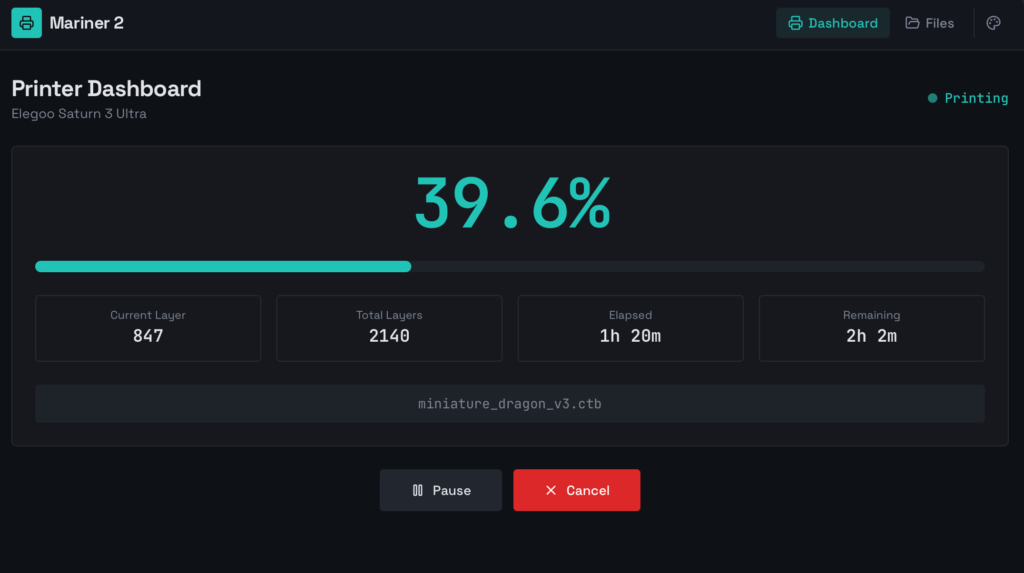
After three rounds of modifications; replacing the fan, adding a Fresnel lens, and fitting a carbon filter; the Mars 3 had become a pretty capable little machine. But I still had to walk over to it every time I wanted to check on a print. That bothered me more than it should have.
The fix was remote control, and the software for it already existed: Mariner, an open-source web interface for MSLA printers built on ChiTu controllers. The original author wrote a great post about setting it up on an Elegoo Mars Pro, which covers the hardware side beautifully; a Raspberry Pi Zero W wired to the printer’s internal USB serial port. I won’t repeat all of that here. What I will cover is everything that needed fixing to get it working well on the Mars 3, because it wasn’t quite plug-and-play.
That led to the release of my take on it, and the second iteration: Mariner 2.
The Hardware Setup #
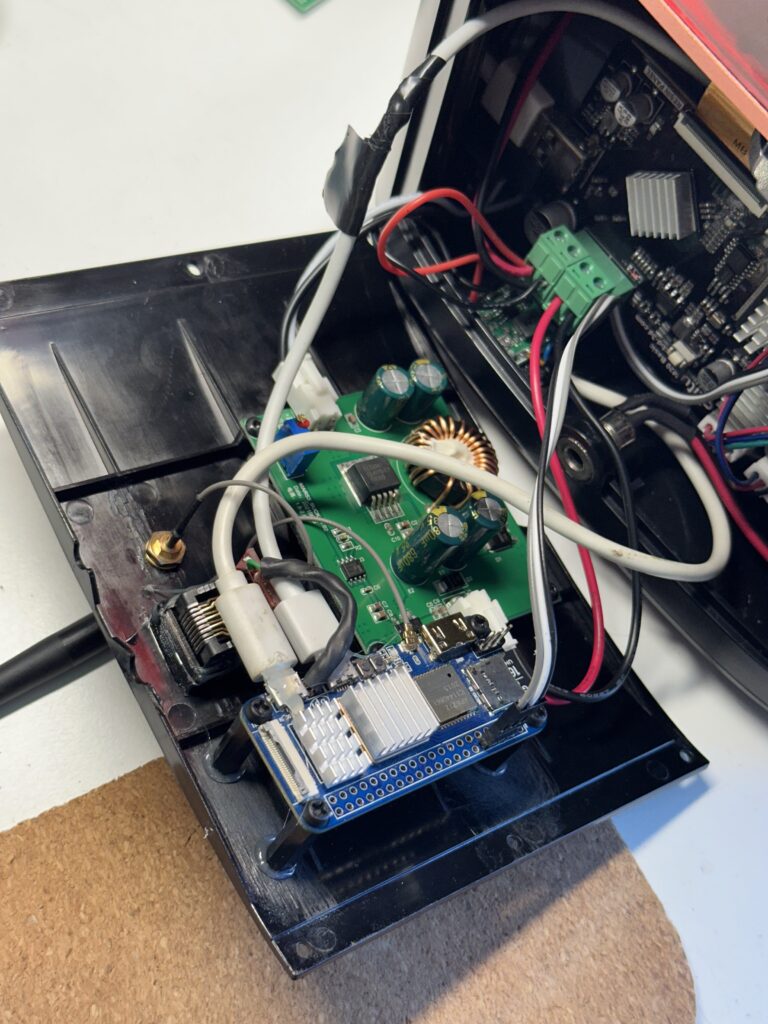
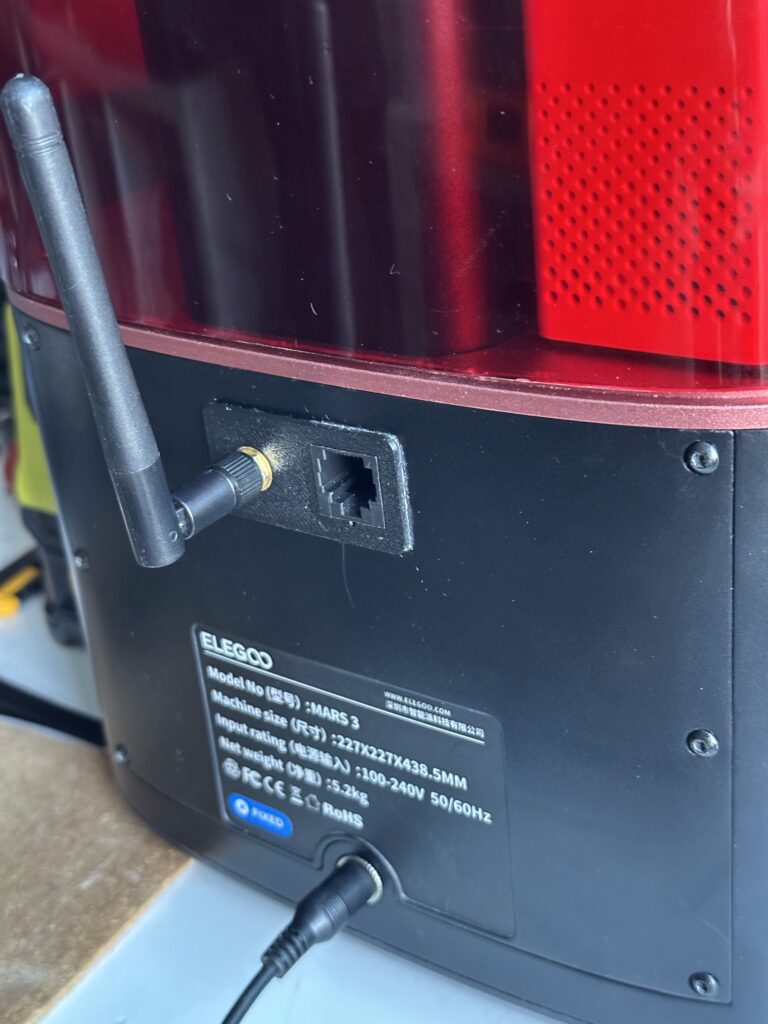
The short version: a Banana Pi M2 Zero sits inside (or next to) the printer, connected via Serial to the ChiTu mainboard. Mariner runs on the Pi and exposes a web interface on your local network. Your phone, tablet, or laptop becomes the control panel. The original blog post has photos and wiring details; follow that for the physical setup.
I have created a new back panel so that you can expose the Wi-Fi antennae and the Ethernet Jack for easy network connection.
Resin Printer Back Plate (Elegoo Mars 3) by amd989 | Download free STL model | Printables.com
Encrypted CTB Files #
More recent slicers; particularly Chitubox; produce encrypted .ctb files. These are the same format under the hood, but the layer data is encrypted in a way that Mariner’s original parser didn’t handle. Uploading one of these files would result in a broken preview or a failed parse.
Support for encrypted CTB files is now in, including correct layer table parsing and preview generation. If your slicer produces encrypted files (you can tell by the version number in the file header), they’ll work fine.
The M4000 Problem #
ChiTu-based printers report their status over serial using a command called M4000. On older printers it was straightforward. On the Mars 3 it wasn’t. The response comes back inconsistently; sometimes with keepalive noise mixed in, sometimes with an empty first line before the real data arrives, sometimes with bytes-remaining encoded in a way that doesn’t map directly to a progress percentage.
Out of the box, Mariner would crash on these responses. The fix required hardening the parser: retry empty reads before giving up, strip keepalive noise before parsing, and handle the bytes-remaining format by computing progress from the Z layer position instead. That last one matters because the Mars 3 reports how many data bytes are left to send to the screen, not how many layers are done; which sounds equivalent but produces a jerky, non-linear progress bar without the conversion.
The result is a stable progress indicator that increments smoothly and doesn’t throw errors mid-print. Small thing, but it’s the difference between something you trust and something you babysit.
Serial Connection Stability #
Another rough edge: if the serial connection dropped; say, after a print finished and the printer went idle; Mariner would lock up rather than recover gracefully. It now detects disconnect errors and reports the printer as CLOSED, which means the UI shows a clean “printer offline” state instead of spinning forever. When the connection comes back, everything resumes normally.
What the Interface Looks Like Now #
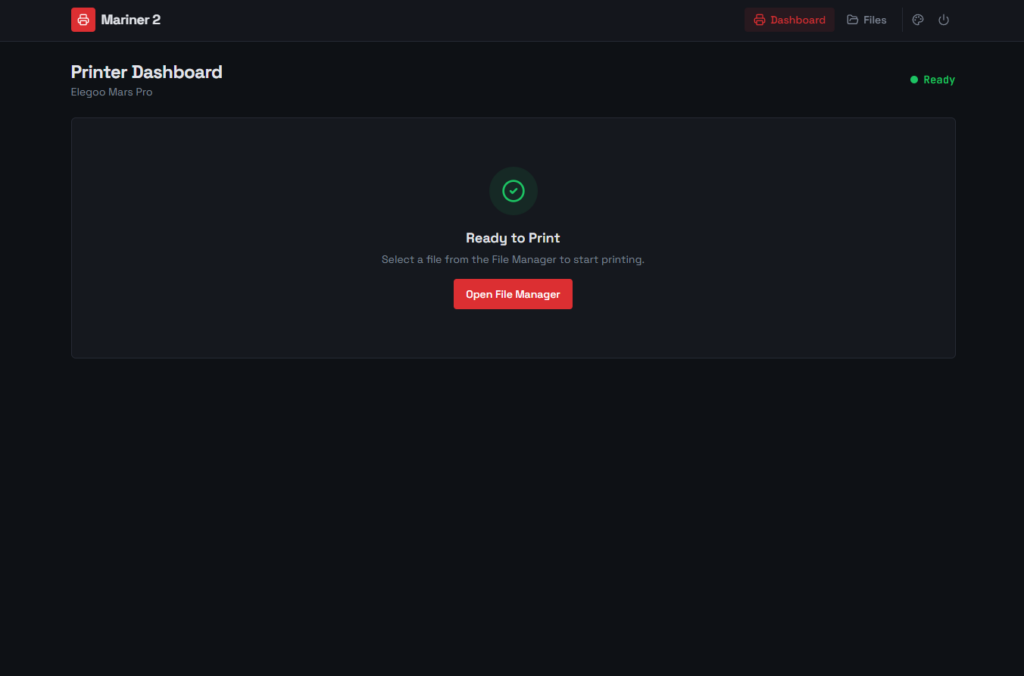
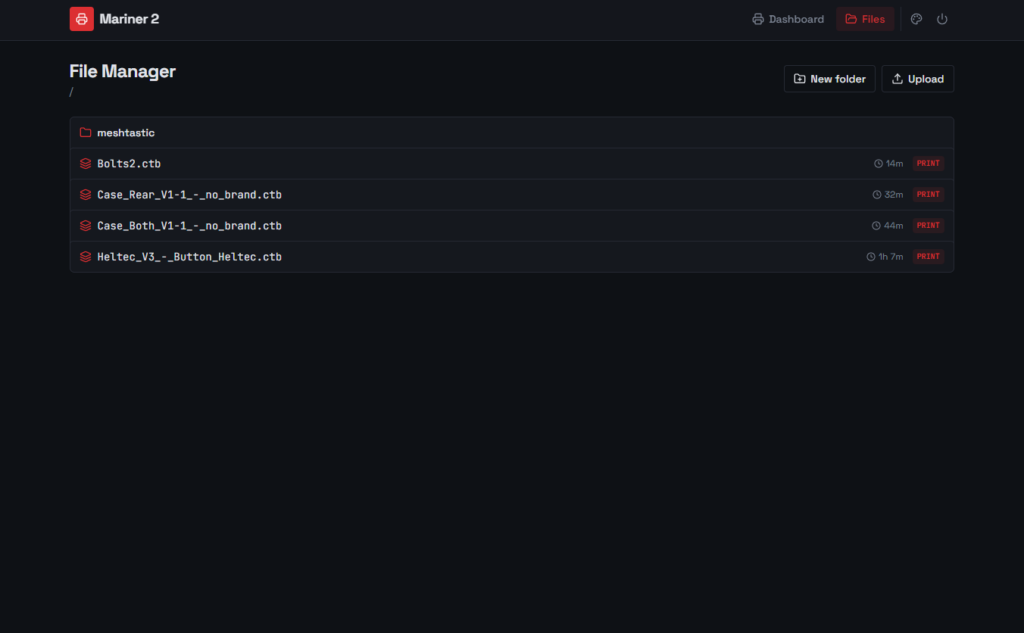
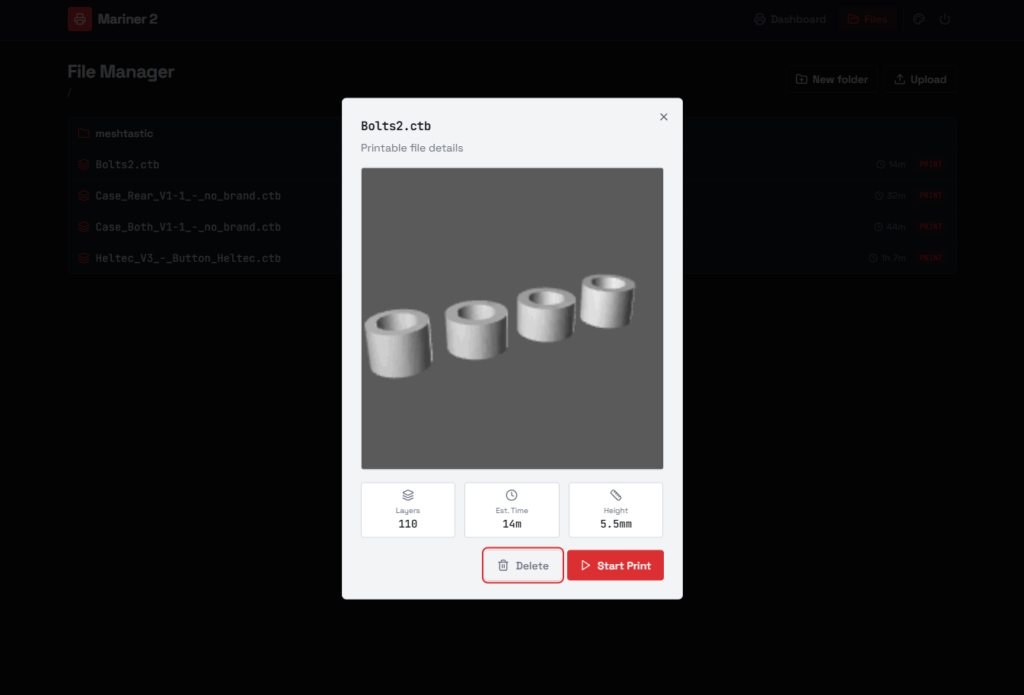
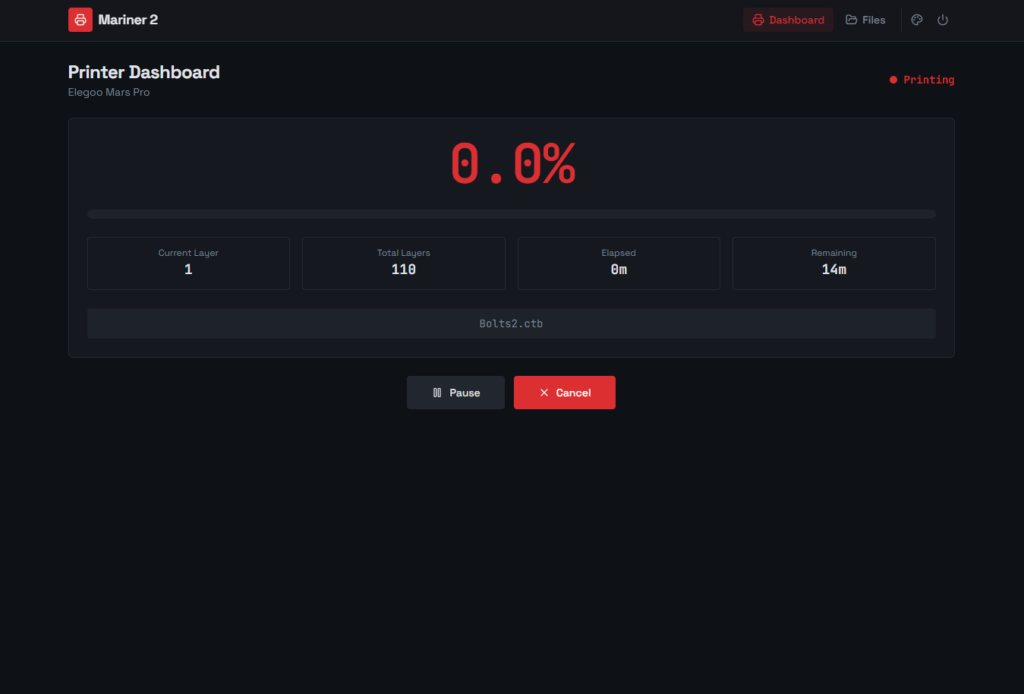
The UI went through a full modernization; Tailwind CSS and shadcn/ui components, dark mode, a cleaner layout that works well on mobile. File browsing now supports folders, so if you organize your print files into subdirectories you don’t have to flatten everything into one long list. There’s also a power menu in the nav for sending reboot/shutdown commands to the Pi without SSH-ing in.
From the dashboard you can see the current layer, total layers, estimated time remaining, and a progress bar. You can start, pause, resume, or stop a print. Tap on any file to get a preview image, layer count, print time estimate, and slicing settings; all parsed directly from the CTB file without touching the printer.
Installation #
Installation is handled via a setup script that configures the service and dependencies on the Pi. The documentation has the full walkthrough. Releases are published as Docker images if you’d rather go that route; useful if you already have Docker running on your Pi for other things.
End Result #
The Mars 3 is now fully remote. I can kick off a print from the couch, check progress from another room, and stop it if something goes wrong; all from a browser. Combined with a cheap IP camera pointed at the build plate, I almost never have to physically interact with the printer until the print is done.
Three hardware mods and a software setup later, this machine is genuinely pleasant to use. That’s the end of the series; unless something else breaks, which given my track record seems likely.
Mariner 2 is open source and available on GitHub. If you’re running a different ChiTu-based printer and want to contribute compatibility fixes, issues and PRs are open.
Discover more from The Maker Shed
Subscribe to get the latest posts sent to your email.