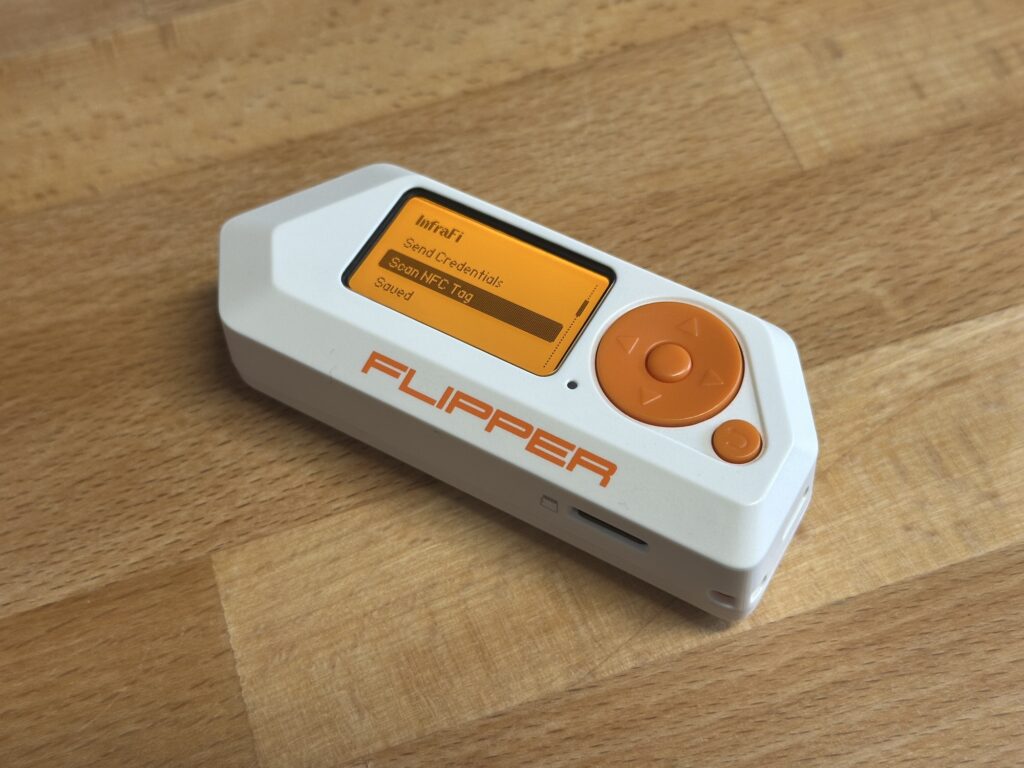
Every Intel NUC, every media center PC, every set-top box sitting behind a TV — they all have an infrared receiver. A tiny sensor waiting for a signal from a remote control that, in most cases, nobody ever uses. I looked at that receiver and thought: what if it could do something actually useful?
That question became InfraFi; a system that transmits WiFi credentials from a Flipper Zero to a Linux server over infrared. No keyboard, no monitor, no SSH session. Just point and shoot.
The Problem #
Headless Linux boxes are everywhere. Home labs, edge servers, digital signage, kiosks. Getting WiFi credentials onto one usually means plugging in a keyboard and monitor, SSHing over ethernet first, or pre-baking configs into the OS image. None of these are great when you just want to hand a box to someone and say “point it at your router.”
But those CIR (Consumer Infrared) receivers? They’re already wired up. The kernel already has drivers for them. And the Flipper Zero already has a capable IR transmitter. The pieces were sitting right there.
Why the Flipper Zero #
The Flipper Zero is a pocket-sized multi-tool for hardware interaction. It speaks infrared, NFC, sub-GHz radio, RFID, GPIO; all from one device with a screen and a simple UI. For this project, two of its capabilities matter most:
- Infrared transmitter: The Flipper has a built-in IR LED that supports multiple protocols, including RC-6 at 36kHz. Which happens to be exactly what CIR receivers on Intel NUCs expect.
- NFC reader: The Flipper can read NFC tags formatted with NDEF data. This includes WiFi Simple Configuration tags; the same standard Android uses when you tap to share a WiFi network. If your WiFi password has characters that are painful to type on the Flipper’s limited on-screen keyboard (it’s missing
\,|,{,},[,], and others), you can write credentials to an NFC tag and scan it instead.
The Flipper app lets you enter credentials manually, scan them from an NFC tag, or load saved networks from the SD card. Then you aim at the IR receiver and hit transmit.
The WiFi QR String Standard #
Before diving into how the data gets transmitted, it’s worth explaining what gets transmitted. InfraFi uses the WiFi QR code string format. The same standard used by those QR codes on the back of routers and in the WiFi sharing sheets on Android and iOS:
WIFI:T:WPA;S:MyNetwork;P:MyPassword;H:false;;The fields are straightforward: T is the security type (WPA, WEP, SAE, or nopass for open networks), S is the SSID, P is the password, and H indicates whether the network is hidden. Special characters like semicolons and backslashes are escaped. The entire payload is capped at 255 bytes, which comfortably fits any real-world WiFi credential set.
This format also happens to be exactly what NFC WiFi Simple Configuration tags encode (following the Wi-Fi Alliance’s WSC specification), which is why the NFC scanning feature maps cleanly onto the same data model.
Choosing the Right IR Protocol: RC-6 vs NEC #
This is where things got interesting. There are two dominant consumer IR protocols:
NEC is the most common IR protocol in the wild. It uses a 38kHz carrier, pulse-distance encoding, and sends 32 bits per frame (8-bit address + 8-bit command, each repeated inverted for error checking). It’s what most TV remotes, sound bars, and cheap IR gadgets use. The Flipper supports it natively, and the Linux kernel’s rc-core subsystem decodes it out of the box.
RC-6 is a Philips protocol that runs at 36kHz. It’s less common in consumer electronics but has one critical advantage for this project: the ITE8708 CIR controller found in Intel NUCs is designed for RC-6. The chip was originally built for Microsoft’s Media Center remotes, which use RC-6.
I initially tried a custom pulse-distance encoding over raw IR: sending arbitrary data by modulating pulse timing. It worked on paper but failed in practice. The ITE8708’s hardware FIFO buffer is tiny, and when you throw high-frequency custom pulses at it, the buffer overflows and you lose data. No amount of timing adjustment fixed it reliably.
Switching to RC-6 solved everything. Instead of fighting the hardware with raw pulses, I let the kernel’s built-in RC-6 decoder (LIRC_MODE_SCANCODE) do the heavy lifting. The chip decodes RC-6 natively in hardware — no FIFO overflow, no dropped bits. Each decoded scancode arrives as a clean 16-bit value: 8-bit address + 8-bit command.
NEC support was developed as an alternative for receivers that don’t speak RC-6, but RC-6 remains the primary protocol because of how perfectly it matches the ITE8708 hardware path.
The Transmission Protocol #
With only 16 bits per IR message (8 for address, 8 for command), you can’t send a WiFi password in one shot. InfraFi uses a simple framing protocol to stream the payload byte by byte:
The address byte carries metadata:
- Bits 7-4: Magic nibble
0xA— identifies this as an InfraFi message, not someone pressing buttons on a TV remote - Bits 3-2: Frame type —
START,DATA,END, orACK - Bits 1-0: Pass number (0-3) for retransmission tracking
The command byte carries the actual data: payload length in START frames, one byte of credential data in DATA frames, and a CRC-8 checksum in END frames.
A full transmission looks like: START(len) -> DATA x N -> END(crc8). The 20ms delay between messages keeps the receiver happy, and the whole sequence can be retransmitted up to 4 times for reliability. The daemon reassembles bytes per pass and verifies the CRC-8 before acting on the credentials.
What Happens on the Server #
The Linux daemon (infrafid) listens on /dev/lirc0, reassembles the IR messages into a WiFi QR string, parses the credentials, and connects to the network. It auto-detects whether the system uses NetworkManager, systemd-networkd, or ifupdown, and calls the right tools accordingly.
The connection flow is careful: it saves the current SSID for rollback, runs the WPA handshake, polls for association (with a 30-second timeout), waits for DHCP, and verifies connectivity with a DNS check. If anything fails, it rolls back to the previous network. No half-configured states left behind.
If the server has IR transmit hardware (or a USB IR blaster), it can send an ACK back to the Flipper over the same RC-6 protocol. The Flipper displays the assigned IP address on success, or an error on failure. ACK is opt-in on both sides since not every CIR receiver has a TX emitter wired up.
Installation #
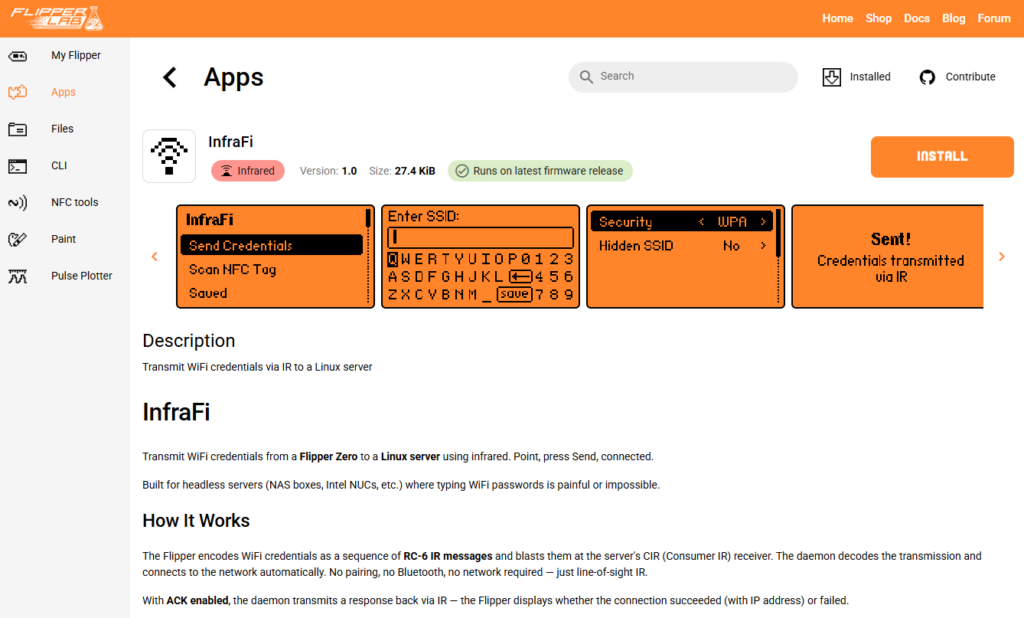
Flipper Zero app: Install InfraFi from the Flipper App Store, qFlipper, Flipper app, or build from source with ufbt.
Linux daemon: Pre-built packages are available for Debian/Ubuntu and RHEL/Fedora across amd64, arm64, and armhf architectures.
For Debian/Ubuntu:
curl -fsSL https://amd989.github.io/InfraFi/setup.sh | sudo bash
sudo apt install infrafid
For RHEL/Fedora:
curl -fsSL https://amd989.github.io/InfraFi/setup-rpm.sh | sudo bash
sudo dnf install infrafid
Or build from source:
git clone https://github.com/amd989/infrafi.git
cd infrafi/daemon
make
sudo ./install.sh
The daemon runs as a systemd service and logs to journald. Enable the rc-6 protocol on your IR receiver if it isn’t already active
(cat /sys/class/rc/rc0/protocols should show [rc-6]).
Links #
Discover more from The Maker Shed
Subscribe to get the latest posts sent to your email.